MoreExam
1. Question Content...
EXPLANATION
Answer: X - EXPLANATION Content.
Question1: Score: 7%TaskReconfigure the existing deployment front-end and add a port specification named http exposing port 80/tcp of the existing container nginx.Create a new service named front-end-svc exposing the container port http.Configure the new service to also expose the individual Pods via a NodePort on the nodes on which they are scheduled.
Question2: Monitor the logs of pod foo and:Extract log lines correspondingunable-to-access-websiteWrite them to/opt/KULM00201/foo
Question3: Create a Kubernetes secret as follows:Name: super-secretpassword: bobCreate a pod named pod-secrets-via-file, using the redis Image, which mounts a secret named super-secret at/secrets.Create a second pod named pod-secrets-via-env, using the redis Image, which exports password as CONFIDENTIAL
Question4: Score: 5%TaskFrom the pod label name=cpu-utilizer, find pods running high CPU workloads and write the name of the pod consuming most CPU to the file /opt/KUTR00401/KUTR00401.txt (which already exists).
Question5: Schedule a pod as follows:Name: nginx-kusc00101Image: nginxNode selector: disk=ssd
Question6: Score: 4%TaskSet the node named ek8s-node-1 as unavailable and reschedule all the pods running on it.
Question7: Create a file:/opt/KUCC00302/kucc00302.txt that lists all pods that implement service baz in namespace development.The format of the file should be one pod name per line.
Question8: Score: 4%TaskCheck to see how many nodes are ready (not including nodes tainted NoSchedule ) and write the number to/opt/KUSC00402/kusc00402.txt
Question9: Score: 4%ContextYou have been asked to create a new ClusterRole for a deployment pipeline and bind it to a specific ServiceAccount scoped to a specific namespace.TaskCreate a new ClusterRole named deployment-clusterrole, which only allows to create the following resource types:* Deployment* StatefulSet* DaemonSetCreate a new ServiceAccount named cicd-token in the existing namespace app-team1.Bind the new ClusterRole deployment-clusterrole lo the new ServiceAccount cicd-token , limited to the namespace app-team1.
Question10: List all persistent volumes sorted by capacity, saving the full kubectl output to/opt/KUCC00102/volume_list. Use kubectl 's own functionality for sorting the output, and do not manipulate it any further.
Question11: Given a partially-functioning Kubernetes cluster, identify symptoms of failure on the cluster.Determine the node, the failing service, and take actions to bring up the failed service and restore the health of the cluster. Ensure that any changes are made permanently.You can ssh to the relevant I nodes ([student@node-1] $ ssh <nodenameYou can assume elevated privileges on any node in the cluster with the following command:[student@nodename] $ | sudo -i
Question12: Score: 7%TaskGiven an existing Kubernetes cluster running version 1.20.0, upgrade all of the Kubernetes control plane and node components on the master node only to version 1.20.1.Be sure to drain the master node before upgrading it and uncordon it after the upgrade.You are also expected to upgrade kubelet and kubectl on the master node.
Question13: Create a pod that echo "hello world" and then exists. Have the pod deleted automatically when it's completed
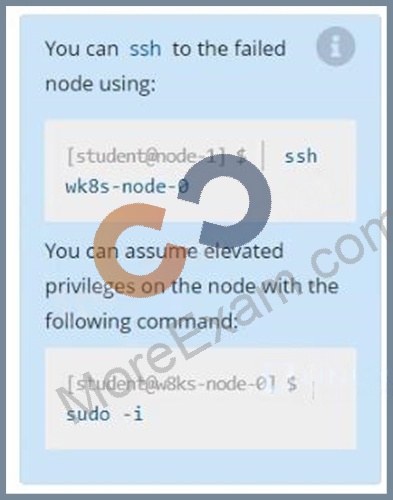
Question14: Score: 13%TaskA Kubernetes worker node, named wk8s-node-0 is in state NotReady. Investigate why this is the case, and perform any appropriate steps to bring the node to a Ready state, ensuring that any changes are made permanent.
Question15: Configure the kubelet systemd- managed service, on the node labelled with name=wk8s-node-1, to launch a pod containing a single container of Image httpd named webtool automatically. Any spec files required should be placed in the /etc/kubernetes/manifests directory on the node.You can ssh to the appropriate node using:[student@node-1] $ ssh wk8s-node-1You can assume elevated privileges on the node with the following command:[student@wk8s-node-1] $ | sudo -i
Question16: Create a pod as follows:Name: non-persistent-rediscontainer Image: redisVolume with name: cache-controlMount path: /data/redisThe pod should launch in the staging be persistent.
Question17: Score:7%TaskCreate a new PersistentVolumeClaim* Name: pv-volume* Class: csi-hostpath-sc* Capacity: 10MiCreate a new Pod which mounts the PersistentVolumeClaim as a volume:* Name: web-server* Image: nginx* Mount path: /usr/share/nginx/htmlConfigure the new Pod to have ReadWriteOnceFinally, using kubectl edit or kubectl patch PersistentVolumeClaim to a capacity of 70Mi and record that change.
Question18: For this item, you will have to ssh and complete all tasks on thesenodes. Ensure that you return to the base node (hostname: ) when you have completed this item.ContextAs an administrator of a small development team, you have been asked to set up a Kubernetes cluster to test the viability of a new application.TaskYou must use kubeadm to perform this task. Any kubeadm invocations will require the use of the--ignore-preflight-errors=all option.Configure the node ik8s-master-O as a master node. .Join the node ik8s-node-o to the cluster.
Question19: Get list of all pods in all namespaces and write it to file "/opt/pods-list.yaml"
Question20: Perform the following tasks:Add an init container to hungry-bear defined in spec file/opt/KUCC00108/pod-spec-KUCThe init container should create /workdir/calm.txtIf /workdir/calm.txt is notOnce the spec file has been definition, the pod should be created
Question21: Create a pod named kucc8 with a single app container for each of thefollowing images running inside (there may be between 1 and 4 images specified):nginx + redis + memcached.
Question22: List "nginx-dev" and "nginx-prod" pod and delete those pods